

Tasks and Tasksets
Tasks are instances of scenarios with specific arguments. Tasksets group related tasks for batch evaluation.- Go to your environment on hud.ai/environments
- Click the Scenarios tab and select a scenario
- Fill in the arguments and add to a taskset
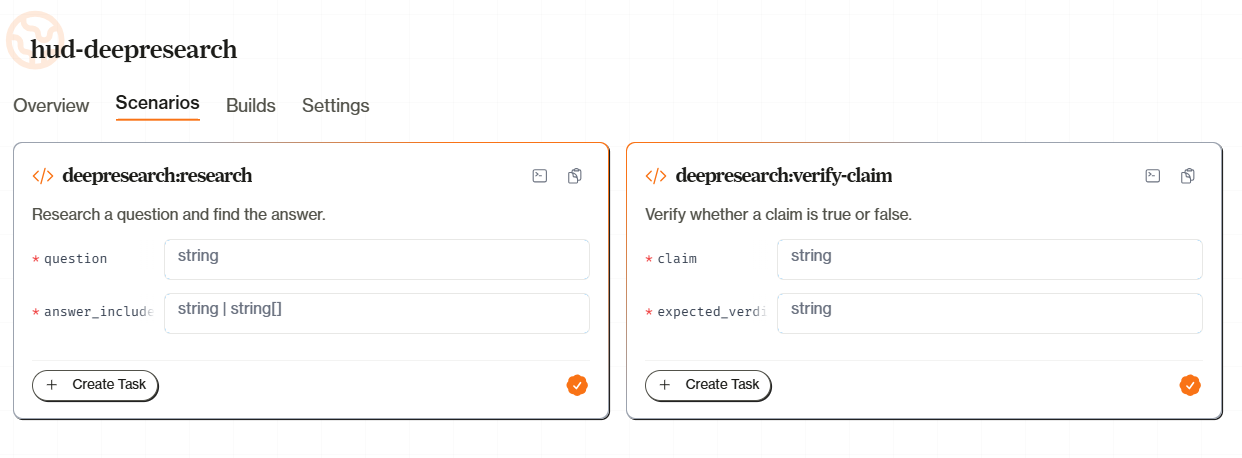
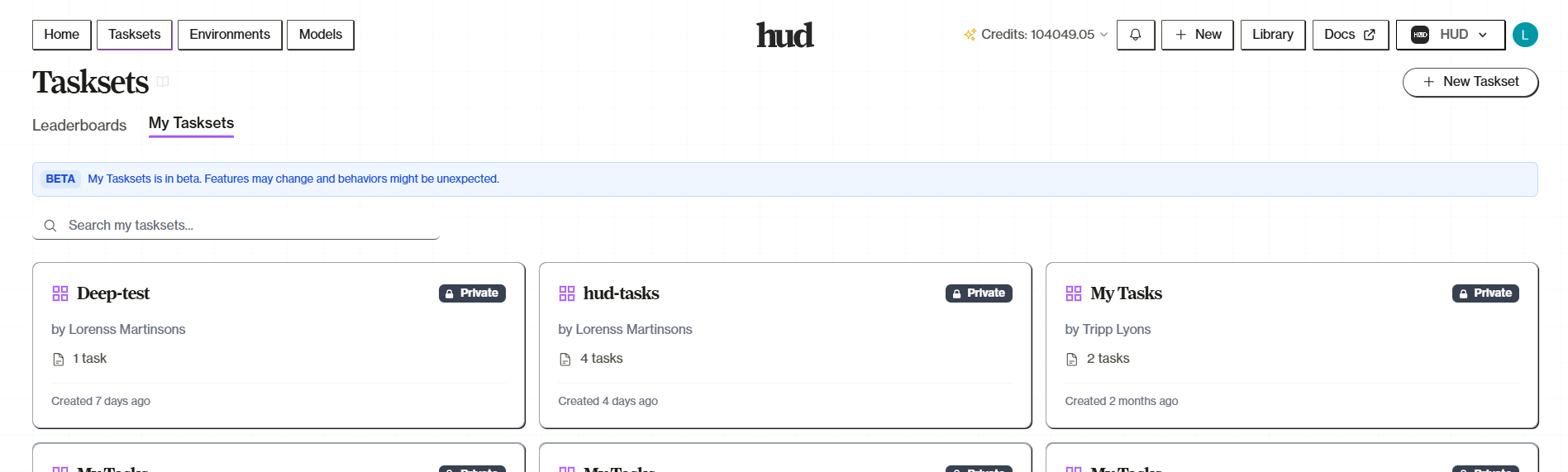
checkout-laptop, checkout-phone-coupon, checkout-headphones. Group them in a taskset and run them all at once. Tasksets become your benchmarks—run them against new model versions to track progress.
See Platform Tasksets for the full guide.
Running Evaluations
Open your taskset on hud.ai/evalsets, click Run Taskset, and configure your run: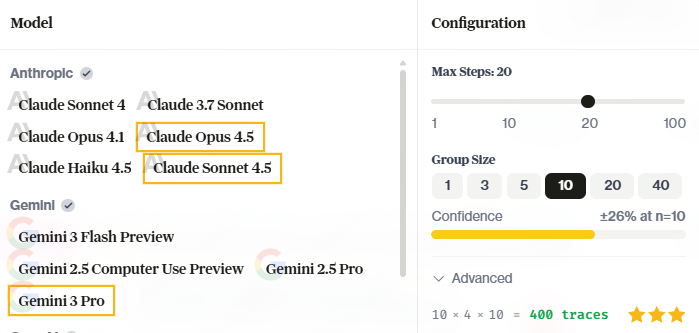
- Models — Select one or more models to evaluate. Multi-select runs the same tasks across all selected models.
- Group Size — How many times to run each task per model (more runs = higher confidence)
- Max Steps — Limit agent actions per task
Training Models
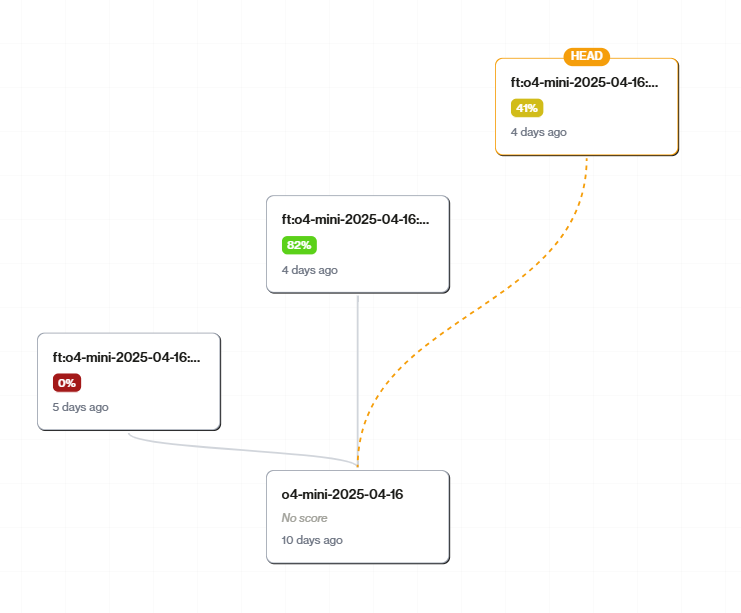
Training turns your evaluation traces into better models:- Go to hud.ai/models and find a trainable base model in Explore
- Click Fork to create your copy—this gives you your model ID
- Click Train Model and select a taskset as training data
- Training creates a new checkpoint in your model’s tree
CLI Alternative
Prefer the command line? Usehud eval for running evaluations locally or remotely:
hud eval CLI reference for all options.
The Loop
Deploy your environment, create tasks, run evaluations, train on successful traces, use the trained model. Repeat. Every evaluation generates traces. Every training run creates a better model. Agents get better at your environment, your tasks, your success criteria.What’s Next
Platform Tasksets
Full taskset management guide
Platform Models
Model training and checkpoints
Testing Environments
Local testing, variants, and mock mode
Publishing Leaderboards
Make your benchmarks public